
Google Workspace vs Microsoft 365: Choosing the Right Productivity Suite for Your Business
A practical comparison of Google Workspace and Microsoft 365, covering collaboration, security, pricing, and use cases to help businesses choose the right productivity platform.
1/26/20263 min read
Google Workspace vs Microsoft 365: Choosing the Right Productivity Suite for Your Business
Introduction
In 2026, choosing the right productivity suite matters more than ever. Teams rely on email, collaboration tools, cloud storage, and intelligent workflows to stay productive and secure. Two leaders dominate this space: Google Workspace and Microsoft 365. Although both address the same needs, they differ in experience, integrations, security, and licensing. This guide will help you make a confident, business-aligned decision — and show how Intellinx supports your adoption and migration.
What Are Google Workspace and Microsoft 365?
Both suites provide cloud-based productivity and collaboration tools for business users:
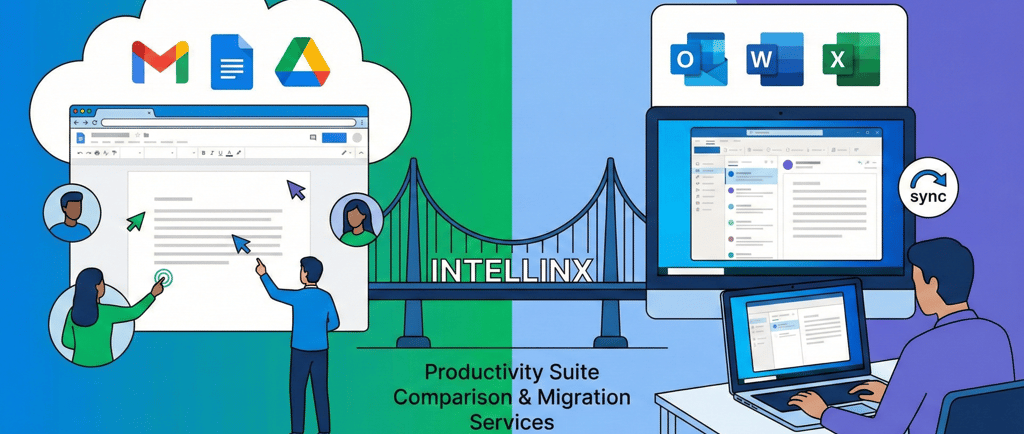
Google Workspace includes Gmail, Drive, Docs, Sheets, Slides, Calendar, Meet, and shared team drives — built from the ground up to work in the browser and cloud.
Microsoft 365 includes Outlook, OneDrive, Word, Excel, PowerPoint, Teams, and SharePoint — with deep integration into Windows and strong support for desktop applications.
Both platforms are subscription-based, offer tiered plans, and cater to small teams up through large enterprises. Decision criteria should align with how your teams work, your security requirements, and your IT strategy.
Core Differences in User Experience and Collaboration
Collaboration Style
Google Workspace thrives on real-time, browser-native collaboration. Multiple users can edit documents simultaneously with minimal friction.
Microsoft 365 offers similar co-authoring but often tied to OneDrive file sync and desktop apps, which some users prefer for offline work.
App Access and Interface
Workspace’s browser-first approach keeps everything accessible from any device without installing software.
Microsoft’s mix of cloud and desktop apps gives power users richer offline functionality, especially in Word, Excel, and PowerPoint.
Storage and File Management
Workspace storage scales with higher tiers, often up to 5TB per user.
Microsoft 365 typically starts with 1TB per user and expands via SharePoint storage pools.
Real-World Fit
Workspace is easy to learn and ideal for remote or distributed teams.
Microsoft 365 suits organisations with legacy systems, structured workflows, and heavy use of desktop applications.
Security and Compliance: What Matters for Businesses
Security is an essential factor in enterprise productivity choices.
Google Workspace offers strong baseline protections with built-in spam filtering, phishing defense, and straightforward admin controls.
Microsoft 365 delivers deeper identity and threat protection, with capabilities like Azure Entra conditional access and Defender tools included in higher tiers.
In regulated environments, Microsoft’s compliance and governance controls are often preferred, although both platforms meet common standards (e.g., GDPR, ISO certifications).
Pricing and Licensing Considerations
Pricing isn’t just about sticker price — it’s about value per user and needed features:
Google Workspace plans are straightforward and often cost-effective for small teams.
Microsoft’s tiering reflects its broader functionality and security features, which can lead to higher costs but deeper controls.
Intellinx conducts cost modeling tailored to your team size, expected growth, and tool utilisation to identify which suite delivers the best ROI.
Migration and Adoption: Avoiding Common Pitfalls
Dropbox is simple; migrating a productivity ecosystem is not. Common challenges include:
Preserving email history, shared files, and folder structures.
Mapping user permissions correctly.
Training employees to use new tools efficiently.
Intellinx has executed migrations for small businesses and enterprises, ensuring data integrity, minimal downtime, and comprehensive onboarding.
Intellinx Approach: Recommendation Framework
We evaluate:
Work patterns (remote vs hybrid vs on-site).
Tool dependency (Excel/Word vs lightweight docs).
Security and compliance needs.
Total cost of ownership.
Change management and training readiness.
Our goal is not just deployment; it’s sustained productivity and adoption.
Conclusion
There’s no one-size-fits-all answer. Workspace excels with cloud-native teams seeking simplicity and real-time collaboration. Microsoft 365 delivers extensive features and control for enterprises with existing infrastructure and compliance needs.
For most organisations, the ideal choice depends on existing workflows, compliance requirements, and your team’s familiarity with cloud tools. When you’re ready to evaluate, migrate, or optimize your productivity suite, Intellinx can help with licensing strategy, migration planning, security hardening, and training.
Contact
Phone
support@intellinx.co.in
+91-7666078889
Copyright© 2026 Intellinx Cosnulting llp. All Rights Reserved.