
How AI in Google Workspace Is Shaping Workflows in 2026
An overview of how AI features in Google Workspace are changing everyday work, improving productivity, and what businesses should consider before enabling them.
1/26/20262 min read
Introduction
AI is no longer an add-on inside productivity platforms. In 2026, it is embedded directly into how employees write emails, analyze data, run meetings, and collaborate across teams. Google Workspace has evolved from a collaboration toolset into an AI-assisted work environment that actively reduces manual effort and decision fatigue.
For businesses, this shift creates opportunity and risk. When configured correctly, AI improves speed, quality, and focus. When deployed without governance, it introduces data exposure and inconsistent outcomes. This article explains how AI in Google Workspace is changing workflows and how Intellinx helps organizations adopt it safely and effectively.
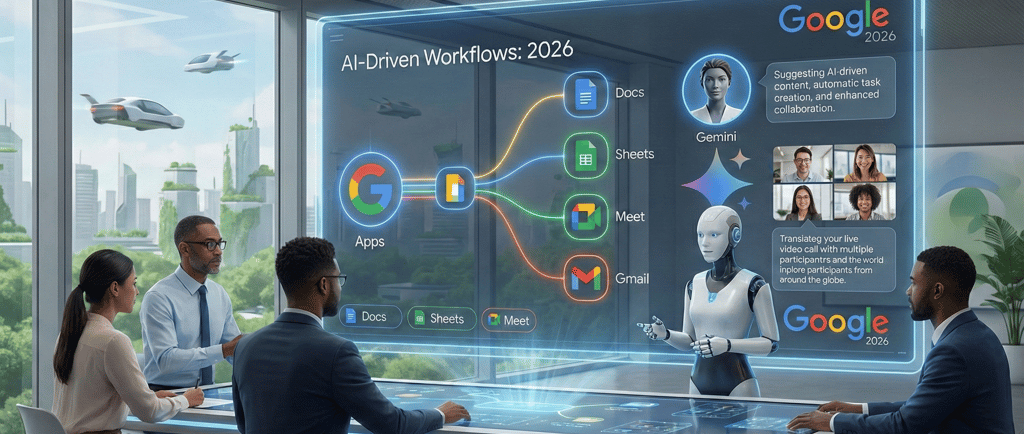
Where AI Lives Inside Google Workspace Today
AI capabilities in Google Workspace are not limited to a single tool. They span the entire user journey.
Gmail and Calendar
Drafting and refining emails based on context
Smart follow-ups and priority suggestions
Meeting summaries and action reminders
Google Docs, Sheets, and Slides
Content generation and rewriting support
Formula suggestions and data summaries in Sheets
Slide structure and visual suggestions
Google Meet and Chat
Real-time meeting notes and summaries
Noise cancellation and clarity improvements
Automated task capture from conversations
These capabilities are designed to reduce routine work and allow teams to focus on judgment, creativity, and decision-making.
How Workflows Are Changing in Real Business Scenarios
Sales and Business Development
AI assists with drafting client emails, summarising call notes, and tracking follow-ups. Sales teams spend less time documenting and more time engaging prospects.
Operations and HR
Policy drafts, internal communications, and onboarding documentation are created faster with AI assistance, while managers review and approve final output.
Leadership and Management
Executives receive concise summaries of meetings, documents, and discussions, reducing information overload without losing context.
The key pattern is consistent: AI does the first pass; humans provide direction and validation.
Productivity Gains Without Process Disruption
One reason Google Workspace AI adoption is accelerating is that it fits into existing habits. Employees do not need to learn new tools; they work differently inside tools they already use.
Benefits commonly reported by organisations include:
Faster turnaround on written communication
Reduced meeting fatigue through summaries
Better collaboration across time zones
Lower dependency on manual documentation
Unlike standalone AI tools, Workspace AI remains embedded in business workflows, which increases adoption and consistency.
Data Security and Governance Considerations
AI inside productivity platforms raises valid concerns:
Who can access AI features
What data is used for AI processing
How outputs are stored and shared
Google Workspace provides admin-level controls to manage:
Feature availability by role or group
Data retention and access policies
Audit logs and usage visibility
However, these controls must be configured intentionally. Many organizations enable AI features without reviewing permissions or user behavior guidelines.
Common Mistakes Businesses Make
Enabling AI without training users
Allowing unrestricted sharing of AI-generated content
Ignoring data classification and access rules
Assuming AI outputs are always accurate
AI improves speed, not judgment. Businesses that treat AI as a replacement rather than an assistant often face rework and compliance issues.
Intellinx Approach to Google Workspace AI Adoption
Intellinx helps organisations adopt AI in Google Workspace with structure and clarity:
Readiness assessment of users and data
Role-based enablement of AI features
Security and access configuration
User training on responsible usage
Ongoing monitoring and optimisation
Our focus is not feature activation. It is measurable productivity improvement with minimal risk.
What to Expect in the Next Phase of Workspace AI
Looking ahead, AI capabilities will expand further into:
Cross-app workflow automation
Deeper context awareness
Predictive task management
Organisations that establish governance now will benefit most as these features mature.
Conclusion
AI in Google Workspace is reshaping how work gets done in 2026. Businesses that adopt it with intention see real gains in efficiency and collaboration. Those that rush adoption without structure face data and quality risks.
If your organisation is planning to enable or expand AI usage in Google Workspace, Intellinx can help you do it with confidence, security, and long-term value.
Contact
Phone
support@intellinx.co.in
+91-7666078889
Copyright© 2026 Intellinx Cosnulting llp. All Rights Reserved.